
New Features on Spotify: Enhancing Your Listening Experience
Spotify continues to evolve, introducing a range of new features that aim to enhance the user experience for both free and premium users. From lossless audio to AI integrations, these updates are designed to make your music streaming more personalized and efficient.
Lossless Audio
One of the most anticipated features is lossless audio, which allows users to stream music in high-resolution quality. This feature enables Spotify Premium users to enjoy up to 24-bit/44.1 kHz FLAC, providing richer detail across all songs in Spotify’s library. Lossless audio is available on iOS, Android, tablet, and desktop, and can be enabled through the app settings. It also works with devices that support Spotify Connect, such as Sony, Bose, Samsung, and Sennheiser. However, it uses more storage and data, so it's advisable to use it when connected to Wi-Fi or in areas with good network connectivity.
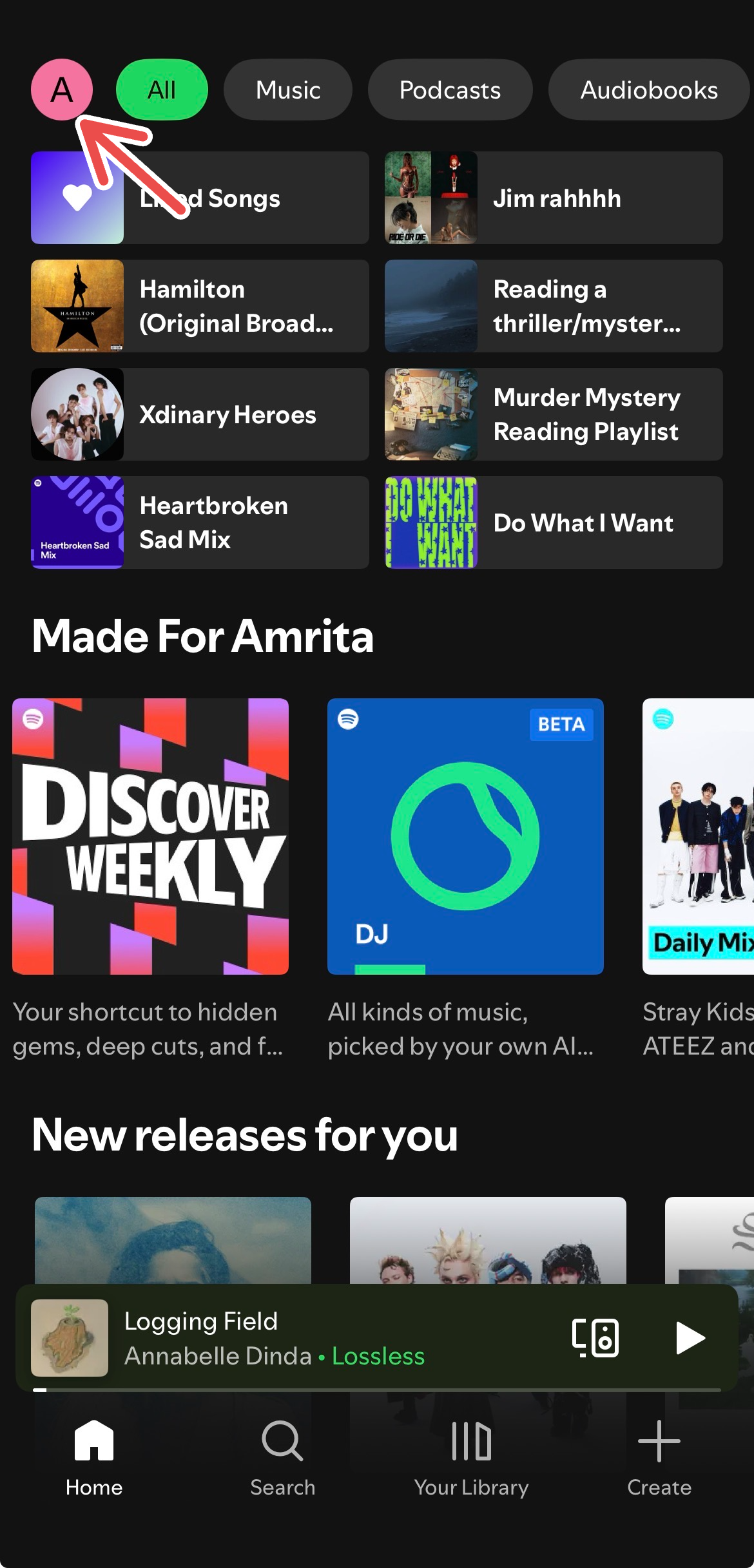
To enable lossless audio on mobile, go to the Spotify Home tab, click on your profile picture, then select "Settings and Privacy." Navigate to "Media Quality" and set the Wi-Fi, cellular, and download quality to "Lossless." On the desktop app, go to your profile, click "Settings," and adjust the "Streaming Quality" and/or "Download Quality" to "Lossless."
Exclude Tracks from Taste Profile
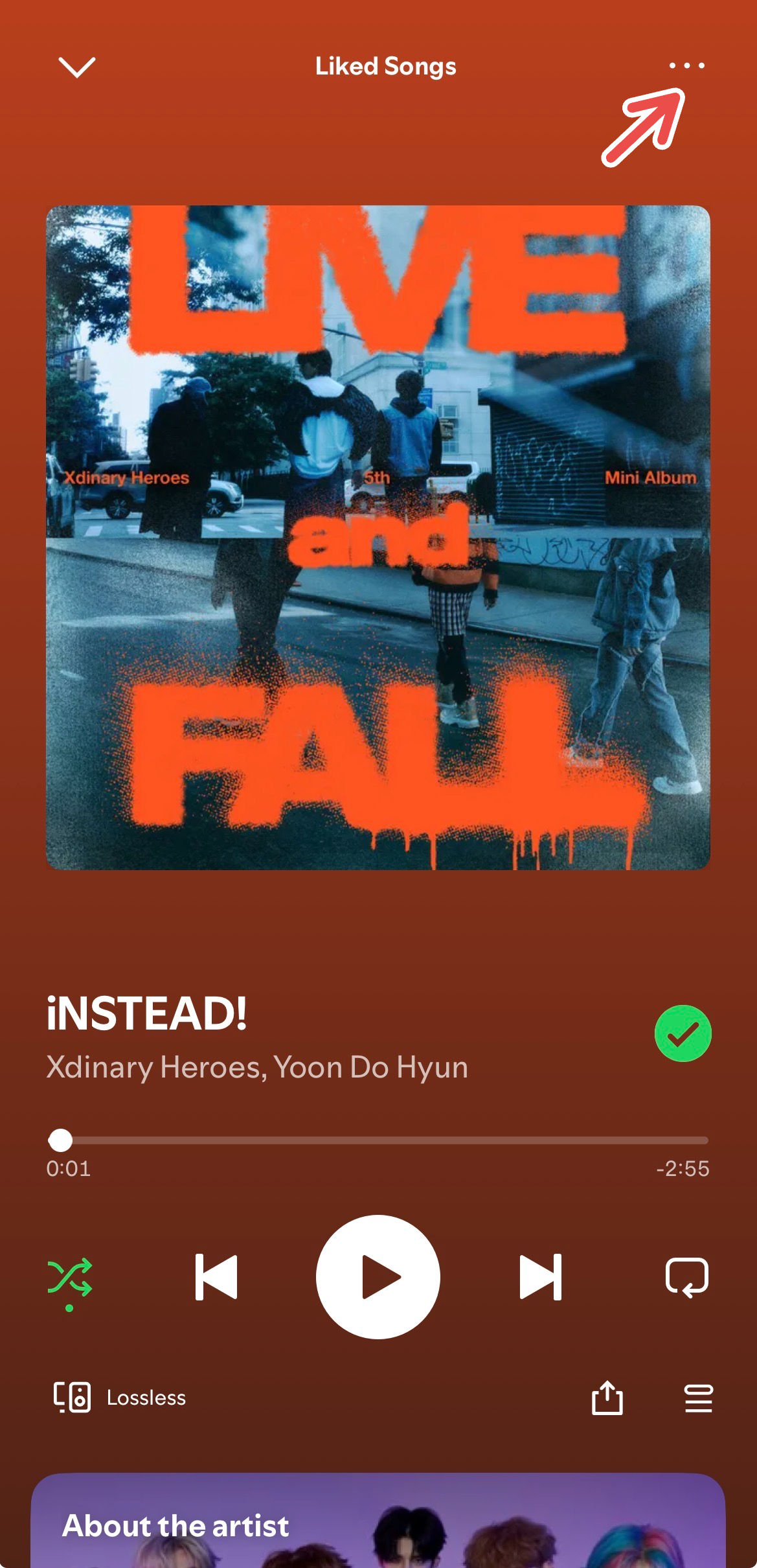
Spotify has introduced a feature that allows users to exclude individual tracks from their Taste Profile. This helps personalize recommendations by adjusting what Spotify considers part of your listening habits. To exclude a track, play any song, click the three dots in the upper right corner, and select "Exclude track from your Taste Profile." You can later include the track again by repeating the steps.
This feature is available globally for both Free and Premium users on web, desktop, iOS, and Android.
Spotify-ChatGPT Integration
Spotify has partnered with ChatGPT to offer an AI-driven playlist creation experience. Users can input prompts like "Spotify, can you create a playlist for my upcoming trip?" and receive tailored recommendations. This feature is available for both Free and Premium users on desktop and mobile apps. Free users can source from existing playlists, while Premium users can create custom playlists from scratch.
To use this integration, log into ChatGPT, input a Spotify-related prompt, connect to Spotify, and continue the conversation. The AI will provide playlists and recommendations directly within the chat. While still in early stages, this feature shows potential for future enhancements.
Message Your Friends
In August, Spotify introduced a messaging feature that allows users to text friends within the app. This feature lets you share songs, podcasts, audiobooks, and more with other Spotify users. It is available for users above 16 years of age and currently supports mobile users in select markets.
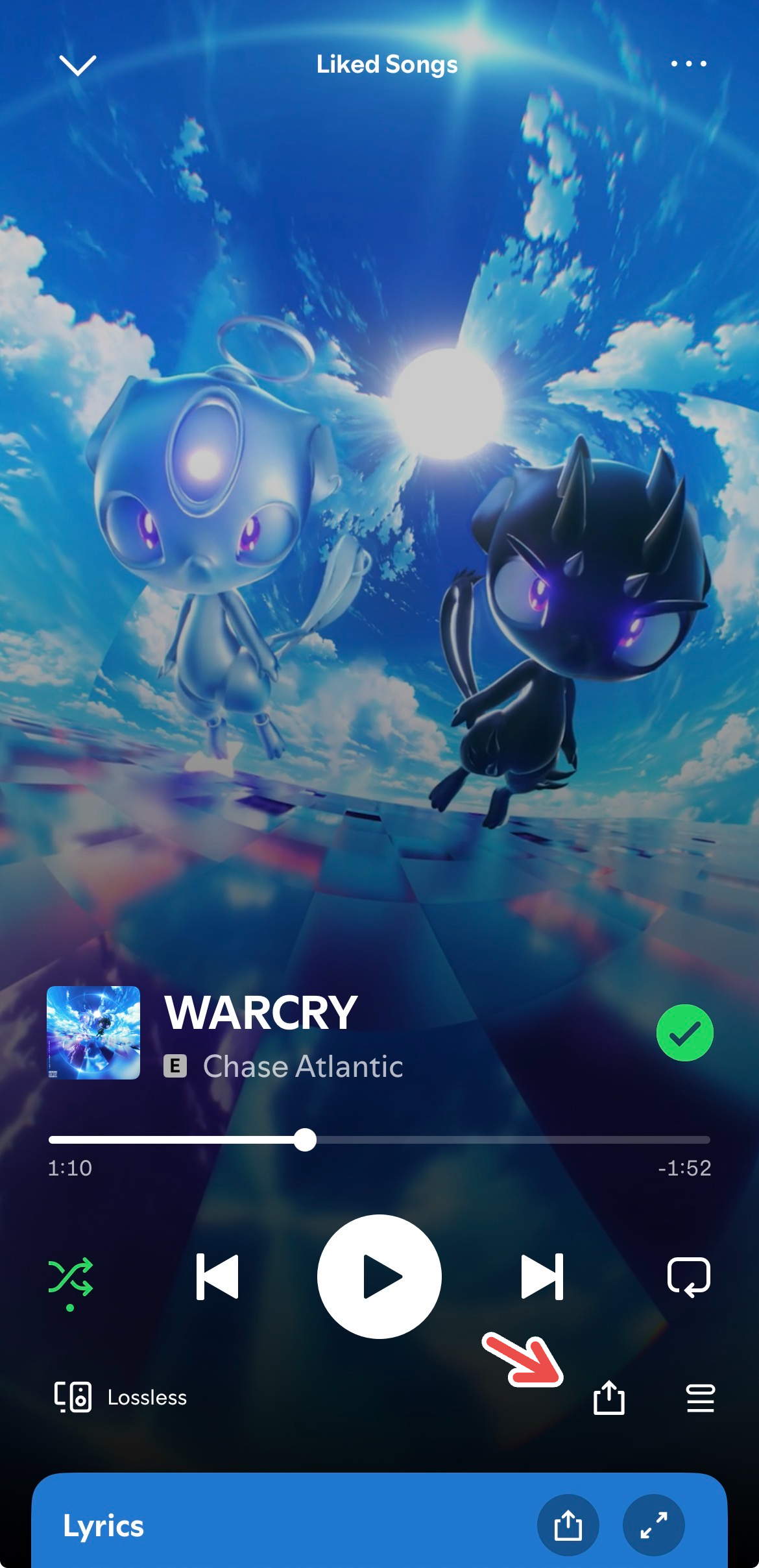
To message someone, click the share button on a piece of content and select "Share with Spotify Messages." If no user suggestions appear, you can search for them. Once a message request is accepted, you can continue the conversation. Shared content includes an "Add" button for quick access to your library.
Smart Filters
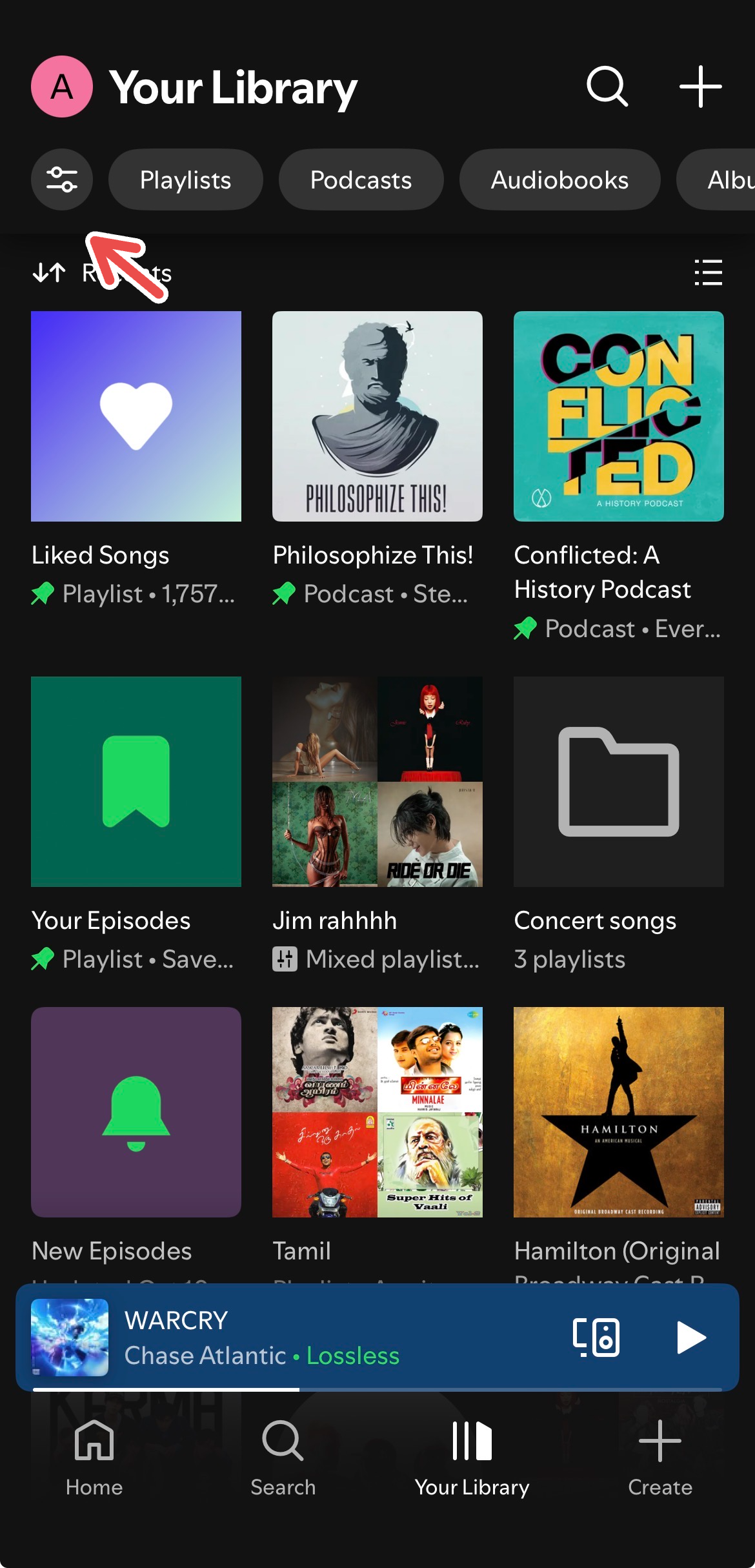
Smart Filters allow users to sort their music library by mood, genre, and activity. This feature helps customize your listening experience for different occasions, such as gym sessions or relaxation. To use Smart Filters, locate the filter icon in the upper left corner of your library and choose a category. Tap the "X" (cancel) button to return to a normal view.
Smart Filters are available for mobile and tablet users in select countries. Future improvements could include multiple filters at once and expanded options for podcasts and audiobooks.
Snooze
The Snooze feature allows users to temporarily remove a track from recommendations without permanently deleting it. This is useful for avoiding overplayed songs without losing them entirely. When a song is snoozed, Spotify will not recommend it for 30 days. This feature is being tested for Premium users and may roll out to more users soon.
Spotify is also testing a new update to the Hide button, which will hide tracks across all devices. Additionally, the Queue feature has been updated with new Shuffle, Repeat, and Sleep Timer buttons for easier access.
Playlist Transitions
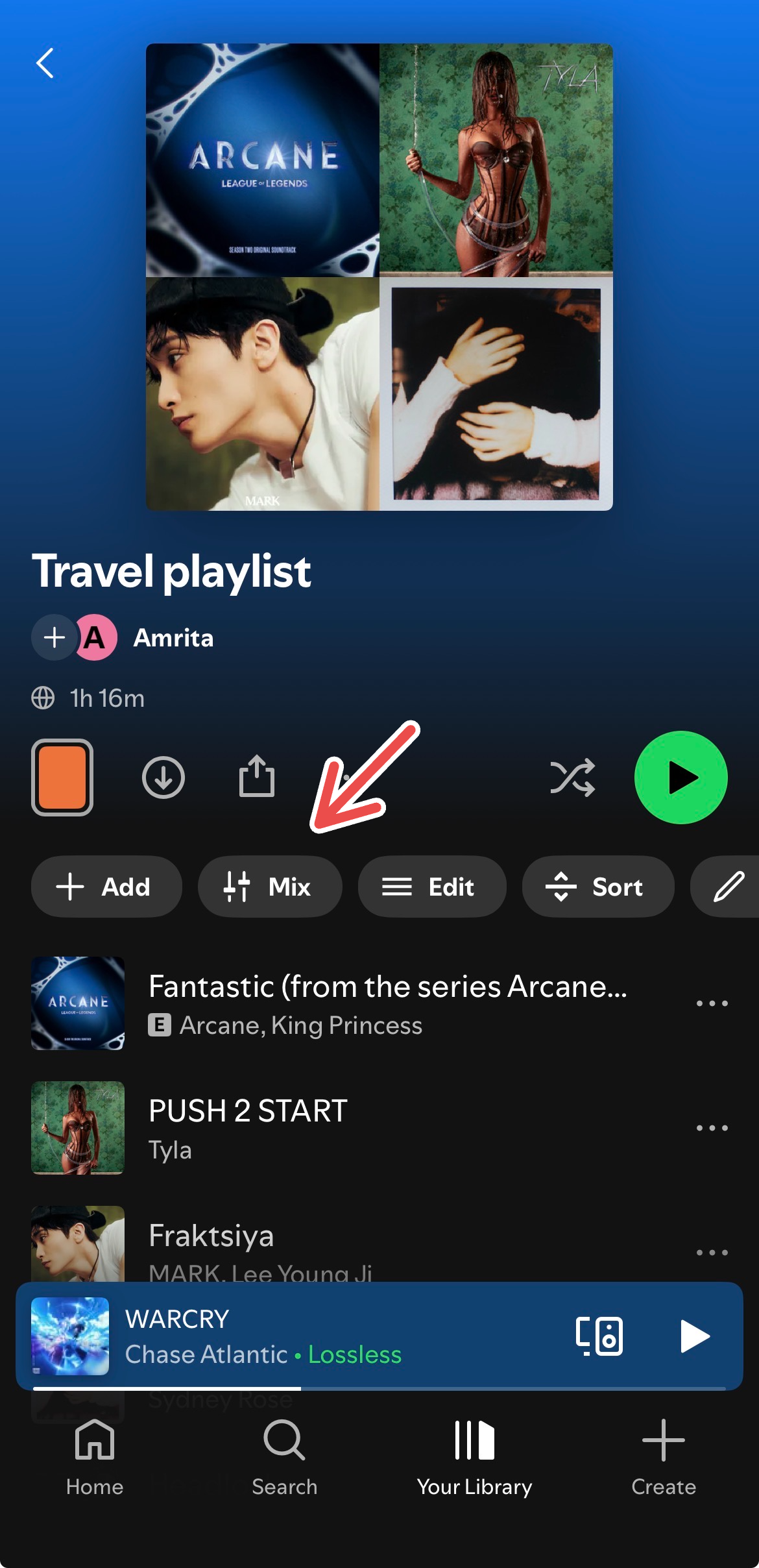
Playlist Transitions is a new feature that allows users to add custom transitions between tracks in any playlist. This feature, currently in early stages, lets you choose transition styles like Fade, Blend, Wave, Rise, Melt, and Slam. To use it, open a playlist, find the "Mix" button under the playlist title, and customize transitions using the provided tools.
This feature is rolling out to Premium users on mobile, tablet, and desktop, so keep your app updated to access it.
Spotify continues to innovate, offering features that enhance personalization and convenience. Staying updated with Spotify's Newsroom can help you discover new features and maximize your listening experience.
Post a Comment